📋 Table of Contents
- The Content Waterfall: Turning One Keynote into 50+ Assets
- Strategic Capture: Beyond the Stage and Into the Hallway
- The 12-Week Post-Event Distribution Calendar
- The SF Tech Aesthetic: Leveraging Local Authority
- AI-Powered Repurposing: Scaling Your Output
- Maximizing ROI with a Post-Event Content Hub
- FAQs
According to research from Bizzabo, 95% of marketers believe in-person events provide a unique opportunity to form real connections in an increasingly digital world. However, most Bay Area companies treat SF event production as a one-off line item rather than a long-term asset engine, effectively ‘orphaning’ their footage the moment the doors close at Moscone Center.
The real kicker? A single high-quality conference recording shouldn’t just be a highlight reel; it should be the foundation for your next two quarters of demand generation. In this guide, we’ll break down the exact framework we use at iStudios Media to help Series B startups and enterprise CMOs extract maximum value from their multi-day events.
The Content Waterfall: Turning One Keynote into 50+ Assets
The most effective way to scale content without scaling headcount is to treat your main stage as a high-velocity production studio.
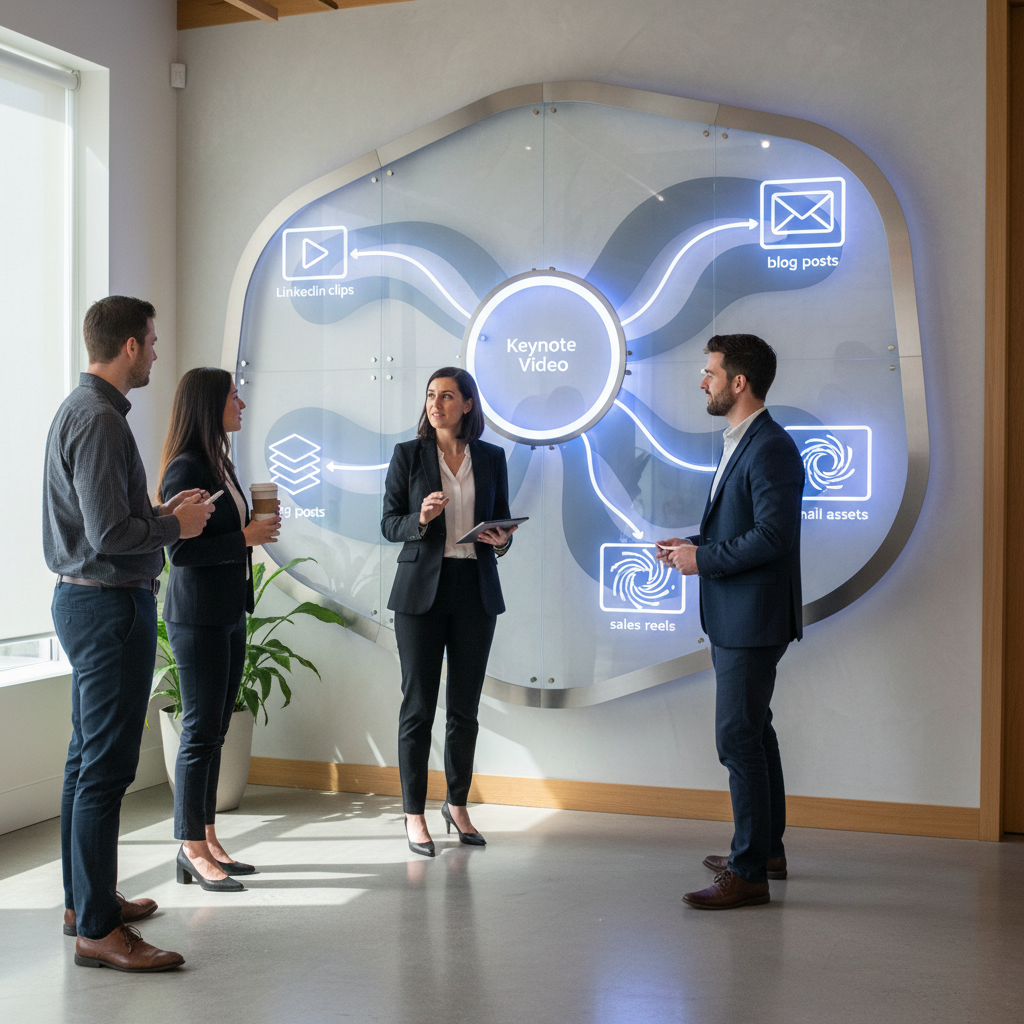
Most brands hire a freelance videographer for a one-off video shoot and walk away with a 3-minute recap. That is a missed opportunity. Instead, adopt a ‘Content Waterfall’ strategy where every 45-minute keynote is systematically dismantled into smaller, platform-specific segments. By planning for the edit before the cameras even roll, you ensure that your SF event production investment fuels your LinkedIn, YouTube, and email nurtures for months.
- The Pillar Asset: Full-length session recordings for on-demand gated content.
- The Social Cuts: 60-second ‘insight bombs’ optimized for LinkedIn and TikTok.
- The Sales Enablement: 2-minute product demo clips pulled from live stage presentations.
- The SEO Boost: Transcribed blog posts and technical deep-dives derived from speaker Q&As.
For mid-market clients, we often suggest using tools like Descript or our internal AI content engine, Ingest.blog, to quickly turn these transcripts into SEO-optimized articles that maintain your brand voice while increasing publishing velocity.
Strategic Capture: Beyond the Stage and Into the Hallway
Authentic B2B social engagement often happens in the ‘micro-moments’ between sessions, not just under the bright lights of the stage.
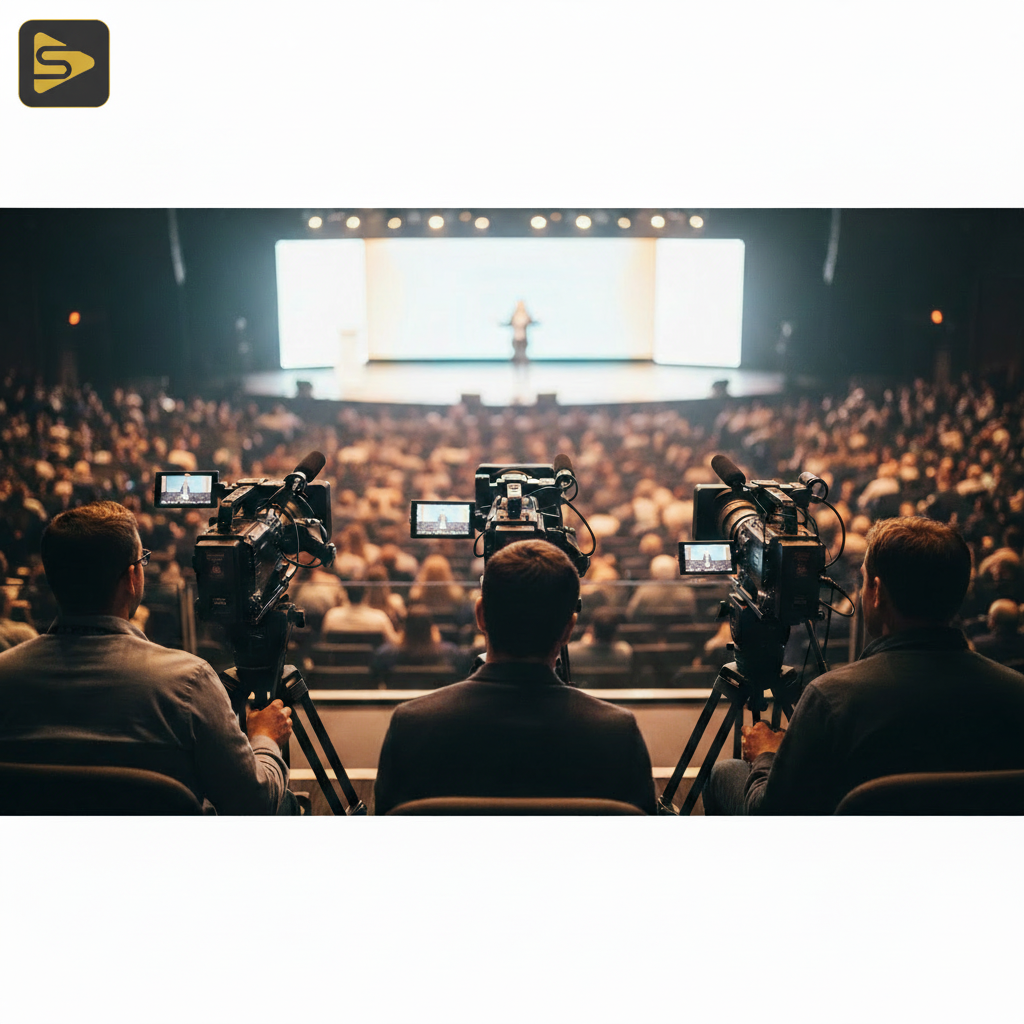
While the keynote is the ‘prestige’ content, hallway conversations and ‘man-on-the-street’ attendee interviews provide the social proof that drives pipeline. A typical Bay Area mid-market client might focus solely on the speakers, but we’ve found that capturing raw, unscripted insights from attendees often results in higher engagement on platforms like LinkedIn. This is where professional SF event production differs from a standard one-off video shoot; it requires a crew that knows how to hunt for stories in a crowded lobby.
- The ‘Hot Take’ Booth: Set up a dedicated corner with professional lighting for quick 30-second industry predictions.
- The Tech Hub Backdrop: Leverage iconic SF visuals near the Chase Center or Oracle Park to anchor your brand in the world’s tech capital.
- Behind-the-Scenes (BTS): Show the scale of your operation to build trust with prospective partners.
Need a partner who understands the nuances of Moscone or local SF venues? Schedule a free consultation to discuss your event’s technical requirements.
The 12-Week Post-Event Distribution Calendar
The biggest mistake marketers make is releasing all their event content in a single ‘data dump’ one week after the conference.
To maximize B2B video marketing ROI, you must drip-feed your assets to keep the conversation alive. Think of your conference footage as a recurring series rather than a feature film. By spreading the content over 90 days, you stay top-of-mind for prospects who couldn’t attend and provide ‘I-was-there’ nostalgia for those who did. This consistent presence is what separates industry leaders from those who just ‘do’ events.
| Timeframe | Content Type | Primary Goal |
|---|---|---|
| Week 1 | Sizzle Reel & ‘Thank You’ Clips | Momentum & Social Proof |
| Week 2-4 | Keynote Deep-Dives (Gated) | Lead Gen & Email Capture |
| Week 5-8 | Panel Discussion ‘Mini-Series’ | Thought Leadership |
| Week 9-12 | Attendee Testimonials & Case Studies | Sales Enablement / Closing |
In our experience with Series B SaaS founders, this structured approach helps justify the production budget to the board because the ROI is measurable across the entire quarter, not just the event weekend.
The SF Tech Aesthetic: Leveraging Local Authority
Your event isn’t just happening in a vacuum; it’s happening in the global capital of innovation, and your footage should reflect that.
Using the ‘San Francisco Advantage’ means more than just a shot of the Golden Gate Bridge. It’s about the high-production value that signals you are a serious player in the ecosystem. Avoid the ‘cheap explainer video’ look by investing in multi-camera setups and cinematic B-roll of the city’s skyline. This ‘Tech-Titan’ prestige is a psychological trigger for investors and enterprise buyers alike. According to Forbes, visual authority is a key component of brand trust in the B2B sector.
Here’s a contrarian insight: You don’t always need the most expensive camera. You need the best lighting and audio. A 4K image with poor audio is amateur; a 1080p image with crystal-clear audio and professional lighting is ‘enterprise.’ Don’t let a freelance videographer skip the audio check—it’s the quickest way to ruin your conference video strategy.
Looking to elevate your next session? Explore our video production services to see how we handle high-stakes corporate environments.
AI-Powered Repurposing: Scaling Your Output
Manual editing is the bottleneck of content scaling; AI is the solution that breaks the dam.
Modern SF event production workflows now include AI-driven tools that can identify the most ‘viral’ moments in a 3-day conference automatically. Tools like Munch or HubSpot’s video intelligence can scan hours of footage for high-impact quotes. However, AI is a tool, not a replacement for a strategic growth partner. You still need a human eye to ensure the clips align with your brand’s specific messaging and compliance requirements—especially for our clients in the medical or legal sectors.
- Automated Subtitles: Essential for LinkedIn, where 80% of videos are watched on mute.
- Smart Cropping: Instantly turning 16:9 stage footage into 9:16 vertical video for Reels.
- Dynamic Summaries: Generating show notes and descriptions for your podcast or YouTube channel.
For more on how to integrate these tools into your workflow, check out our insights on marketing automation.
Maximizing ROI with a Post-Event Content Hub
Don’t let your videos die on a hard drive; build a ‘Digital Twin’ of your event experience.
A post-event content hub is a centralized, searchable library of all your conference assets. This serves as a permanent resource for your sales team to send to prospects. If a potential client has a question about a specific feature, your rep can send a 90-second clip of your CTO explaining it on stage at a major SF summit. This level of post-event engagement strategy turns a marketing expense into a permanent sales asset.
What most people miss is that this hub can be optimized for SEO. By creating individual pages for each session with transcripts and keywords, you capture long-tail search traffic from people looking for the specific topics discussed at your event. It’s the ultimate way to ensure your SF event production continues to generate leads long after the stage is struck.
Ready to turn your next San Francisco event into a content powerhouse? Contact iStudios Media today for a tailored production and distribution plan.
Frequently Asked Questions
How much does professional SF event production typically cost?
Industry-reported ranges for multi-day SF event production typically fall between $2,500 and $15,000 per project for standard coverage, while premium brand films or multi-camera livestreams for large conferences can range from $8,000 to $50,000+ depending on the crew size and post-production requirements. Always factor in both capture and editing costs.
Why should I hire an agency instead of a freelance videographer?
While a freelance videographer is great for a one-off video shoot, an agency provides a full-stack team including producers, audio engineers, and editors who understand conference video strategy. Agencies offer scalability, reliability, and the ability to turn footage into a cohesive B2B video marketing ROI engine rather than just a single file.
Can you help with event live streaming in San Francisco?
Yes, we offer full-service event live streaming with multi-camera setups, professional audio, and real-time social clipping. Our packages for Bay Area conferences usually range from $1,500 to $8,000 per day, ensuring your remote audience has a front-row seat with zero technical lag.
How quickly can we get a highlight reel after the event?
We specialize in ‘Real-time Content Loops.’ For many SF clients, we provide ‘Day 1’ highlights by the following morning to drive social buzz while the event is still active. Full post-production for the entire 6-month content waterfall typically takes 2-4 weeks depending on the volume of assets required.