📋 Table of Contents
The corporate video lighting fix for a glass-walled office is to pick one dominant light source, usually the windows, and match every other light to its color temperature. Set white balance to that source, dial your LED panels to the same Kelvin value, and turn off overhead lights you cannot correct.
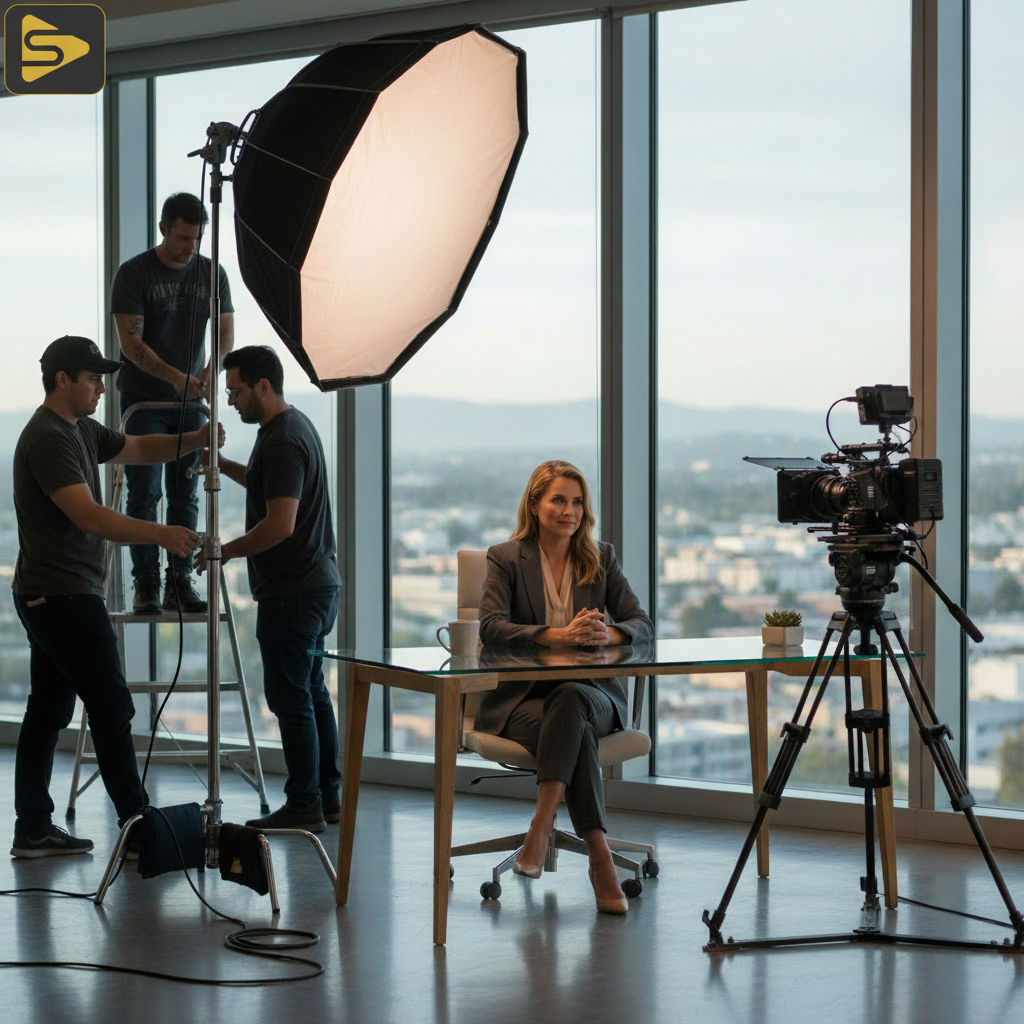
The typical San Jose tech suite sets the trap: floor-to-ceiling windows pour in cool, blue daylight (5600K) while overhead office LEDs add a warm yellow-green (4000K). Without intervention, the subject looks like they are being filmed in an aquarium. This guide breaks down the single guardrail that keeps an office video shoot looking polished.
The Color Temperature Trap in San Jose Production
The biggest mistake in modern San Jose production is trying to ‘fix it in post’ rather than managing the Color Rendering Index (CRI) on-site.
When you film in a typical glass-walled office, your camera’s sensor is pulled in two directions. If you white balance for the daylight, the indoor lights turn orange. If you balance for the indoor lights, the windows turn a ghostly blue. This visual ‘mud’ is a common reason internal videos look amateur.
- Daylight (Blue): Usually around 5600 Kelvin.
- Office LEDs (Yellow/Green): Ranges from 3200K to 4500K.
- The Result: Skin tones that look sickly and inconsistent.
To combat this, we rely on high-CRI (95+) bi-color LED panels. Unlike cheap consumer lights, professional corporate video lighting requires gear that can match the specific ‘flavor’ of the room’s ambient light.
Why The ‘Silicon Valley Glow’ Requires Negative Fill
In bright, glass-heavy offices, light bounces everywhere, washing out the subject’s features and removing depth. The result is a subject who looks flat and two-dimensional.
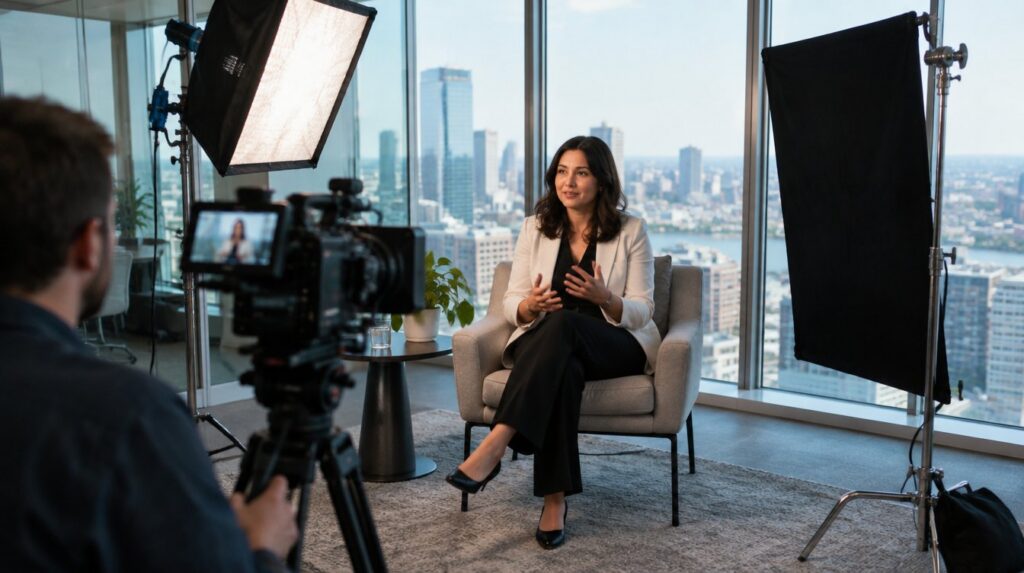
The fix? Negative fill. By placing a black flag or foam board opposite your key light, you ‘suck’ the light away from one side of the face. This creates the subtle shadows that define the jawline and add a premium, cinematic feel to the office video shoot.
The One Fix: Matching the Dominant Source
The single guardrail that prevents a reshoot is this: You must choose one dominant color temperature and force every other light to submit to it.
When the windows are too large to black out, daylight is the master. Shift the entire lighting kit to match it: dial the panels to 5600K and, where the building’s energy-efficient glass adds a tint, use plus-green gels to match it.
The Guardrail Checklist:
- Identify the largest light source (usually the windows).
- Set your camera’s White Balance to match that source.
- Adjust your corporate video lighting kit to the same Kelvin temperature.
- Turn off overhead fluorescent grids if they cannot be color-corrected.
If you are managing a high-stakes brand film, don’t leave the visuals to chance. Schedule a free consultation with our production team to discuss your next project.

Managing Harsh Glare in Tech-Modern Offices
Silicon Valley office parks love glass, but glass loves to reflect your entire lighting crew back into the camera lens.
The ‘Tech-Modern’ look—lots of white desks and glass partitions—created a hall-of-mirrors effect. The solution isn’t more light; it’s smarter video quality tips like using circular polarizers on the lens. This acts like sunglasses for your camera, cutting through reflections on glass walls and computer screens.
These small details are what separate a basic project from a premium brand film.
Equipment vs. Execution: The $50 Diffusion Hack
You don’t always need a $50,000 cinema rig to get professional results; sometimes, a simple piece of diffusion cloth saves the day.
The sun moves during a two-hour interview and can suddenly hit the subject with a harsh ‘hot spot.’ Instead of stopping the shoot, use a portable 5-in-1 silk to soften the light. This ‘Anti-Office’ look turns harsh, unflattering sunlight into a soft, wrap-around glow that makes the subject look approachable and trustworthy.
| Challenge | The Cheap Fix | The Pro Fix |
|---|---|---|
| Harsh Window Light | $20 Shower Curtain | 4×4 Scrim & C-Stand |
| Mixed Color Temps | Turn off the lights | Bi-Color LED Panels |
| Flat Image | Black Poster Board | Negative Fill / Floppy |
The Practical ROI of Professional Lighting
Why does this matter to a CMO or Founder? Because lighting is the ‘silent closer.’ When a potential partner watches a brand film with poor corporate video lighting, they subconsciously associate the lack of polish with a lack of operational excellence. In contrast, a well-lit, high-CRI video signals that your company pays attention to detail.
Applying These Lighting Techniques Monday Morning
You don’t need to be a cinematographer to improve your office video shoot quality immediately. Start by simply observing the light.
Next time you’re setting up a webcam interview or a quick social clip, look at the shadows. Are they green? Is one side of your face blue? The easiest way to improve is to turn your desk to face the window directly. This uses the sun as a giant, free softbox. It’s the most basic of all lighting techniques, yet it’s the one most people miss.
- Rule of thumb: Never have a window behind you (you’ll become a silhouette).
- Best practice: Keep your eyes at the same level as the light source to get ‘catchlights’—those little white sparkles that make you look alive.
- Try this: Use a desk lamp with a warm bulb to add a ‘hair light’ behind you, separating you from the background.
Ready to elevate your brand’s visual authority? Explore our video production services or call us to discuss your next Bay Area project. We specialize in navigating the complex environments of Silicon Valley offices to deliver broadcast-quality results.
Related reading: Why Commercial Video Production Stalls in Post-Production and Why Your Video Production Team Misses the Mark on ROI.
FAQs About Office Video Production
How do I stop my office lights from flickering on camera?
Office LEDs often flicker because their refresh rate doesn’t match your camera’s shutter speed. To fix this, adjust your shutter speed to a multiple of 60 (like 1/60 or 1/125). In specialized San Jose production, we use flicker-free professional LEDs to avoid this issue entirely, ensuring smooth, high-quality footage every time.
What is the best time of day to film in a glass office?
Mid-morning or late afternoon is ideal. Avoid noon, as the sun is directly overhead, creating harsh shadows and ‘raccoon eyes.’ For a corporate video lighting setup, we prefer ‘Golden Hour’ or slightly overcast days, which provide naturally diffused light that complements our artificial lighting kits perfectly.
Can I use my phone for professional corporate videos?
While modern iPhones are impressive, they struggle with the mixed color temperatures found in offices. A professional office video shoot uses dedicated sensors with higher dynamic range to handle the bright windows and dark shadows simultaneously. For high-stakes marketing, the difference in perceived trust is worth the investment in professional gear.
What is CRI and why should I care?
CRI stands for Color Rendering Index. It measures how accurately a light source reveals colors. Cheap office lights often have a low CRI, making skin look grey or green. In corporate video lighting, we only use lights with a CRI of 95 or higher to ensure your team looks healthy and vibrant on screen.
If you’re planning a shoot in the Bay Area, don’t let bad lighting dim your brand’s potential. Contact iStudios Media today for a professional walkthrough of your space and a custom production plan.